
Spook Busters3.0 - App Store
You'll be able to see results in few seconds.
Publisher Description


Leverage over 30 iPhone apps with source code and artwork to create your first or next app. Details at appsamuck.com
3.0
* Updated graphics.
* Bug in 3.X OS has been fixed.
KID FRIENDLY!!
A real Halloween treat for small kids and children.
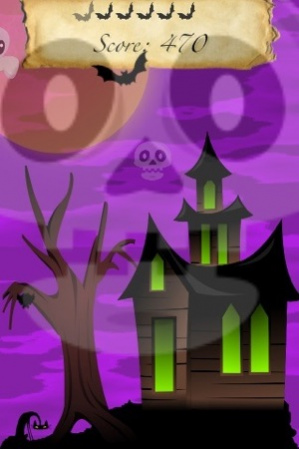
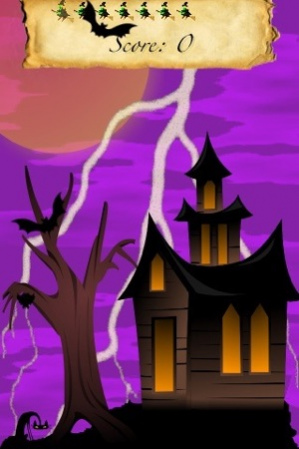
Halloween is a busy time, a time for restless spooks to return to walk among us. This Halloween night is no different, all the ghost and spooks are out in full force. Armed with your trusty plasma cannon it is your mission to exterminate the entire horde in one short minute.
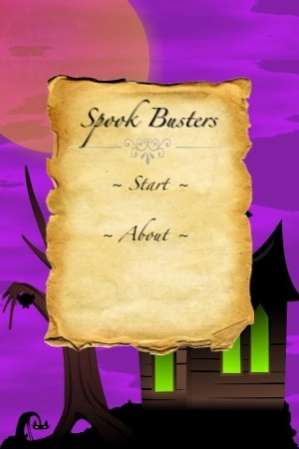
Spook Busters is a quick and fun novelty game that allows you to zap (or tap) spooky creatures to earn as many points as you can in one minute.
~ Progress through three levels of play; from Spooky, Frightening, to Horrific.
~ Fun sounds and effects for all ages
~ Great for passing time
~ Small kids love trying to catch the spooks
~ Kid friendly NO blood or gore here.
PLEASE visit our web site and tell us what you would like to see in our next version.
~ What spooks would you like added?
~ What sounds would you like added?
~ What effects are we missing?
~ Anything cool you can think of :)
-------------------------------------------
Interested in developing iPhone applications yourself?
Get assistance from
www.appsamuck.com
and now
www.excbadaccess.com
Oct 2, 2009 Version 3.0
Greatly improved graphics
More targeted for small kid, and children
Shorter level intervals
New help screen
About Spook Busters
The company that develops Spook Busters is James McElveen. The latest version released by its developer is 3.0.
To install Spook Busters on your iOS device, just click the green Continue To App button above to start the installation process. The app is listed on our website since 2009-10-02 and was downloaded 0 times. We have already checked if the download link is safe, however for your own protection we recommend that you scan the downloaded app with your antivirus. Your antivirus may detect the Spook Busters as malware if the download link is broken.
How to install Spook Busters on your iOS device:
- Click on the Continue To App button on our website. This will redirect you to the App Store.
- Once the Spook Busters is shown in the iTunes listing of your iOS device, you can start its download and installation. Tap on the GET button to the right of the app to start downloading it.
- If you are not logged-in the iOS appstore app, you'll be prompted for your your Apple ID and/or password.
- After Spook Busters is downloaded, you'll see an INSTALL button to the right. Tap on it to start the actual installation of the iOS app.
- Once installation is finished you can tap on the OPEN button to start it. Its icon will also be added to your device home screen.
Program Details
System requirements
Download information
Pricing
Version History
version 3.0
posted on 2009-10-02
Oct 2, 2009 Version 3.0
Greatly improved graphics
More targeted for small kid, and children
Shorter level intervals
New help screen
version 3.0
posted on 2008-10-06
Disclaimer
Official App Store Link
We do not host Spook Busters on our servers. We did not scan it for viruses, adware, spyware or other type of malware. This app is hosted by Apple and passed their terms and conditions to be listed there. We recommend caution when installing it.
The App Store link for Spook Busters is provided to you by apps112.com without any warranties, representations or guarantees of any kind, so access it at your own risk.
If you have questions regarding this particular app contact the publisher directly. For questions about the functionalities of apps112.com contact us.
